Log
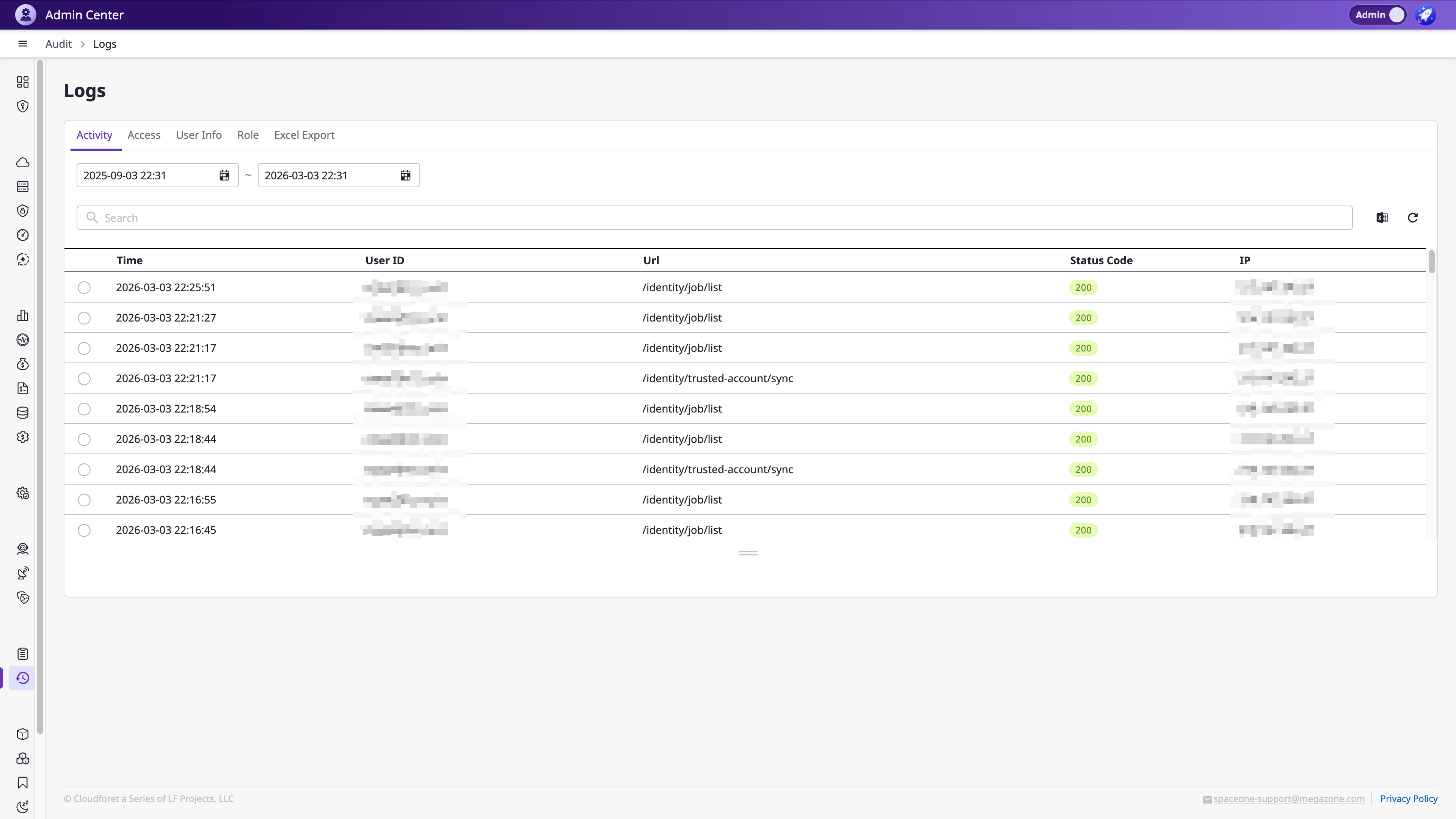
You can view activity logs of administrators and users within the domain in the [Audit > Log] menu.
Audit logs are categorized by type tabs, and you can quickly find specific logs using date range filters and search.
However, even Admins cannot access this menu if their role has Restricted Access that blocks the Audit menu.
Log Types
Audit logs are classified into the following 5 type tabs.
| Type | Description | Key Columns |
|---|---|---|
| Activity | General user activity records | Time, User ID, URL, Status Code, IP |
| Access | Domain access (login, etc.) records | Time, User ID, Domain, Status Code, IP |
| User Info | User information change records | Time, User ID, Action, Target User, Status Code, IP |
| Role | Role-related change records | Time, User ID, URL, Action, Status Code, IP |
| Excel Export | Excel export records | Time, User ID, Action, Status Code, IP |
Date Range Filter
Use the date/time picker at the top of each tab to set the search period.
- Specify the period in Start Date ~ End Date format.
- The default range is the last 6 months.
- The maximum search range is 1 year.
Search and View Logs
Use the search area below the date range to search logs using Query Tag format.
Searchable fields:
| Field | Description |
|---|---|
| Trace ID | Request trace ID |
| User ID | User ID |
| IP | Access IP address |
| Verb | Performed action |
| Method | HTTP method |
The log list uses infinite scroll loading — additional data is automatically loaded as you scroll down.
Status Code Display
Log Status Codes are color-coded by range.
| Range | Color | Meaning |
|---|---|---|
| 2xx | Green | Success |
| 3xx | Blue | Redirect |
| 4xx | Yellow | Client Error |
| 5xx | Red | Server Error |
View Log Details
Select a log entry from the list to display the Detail tab at the bottom.
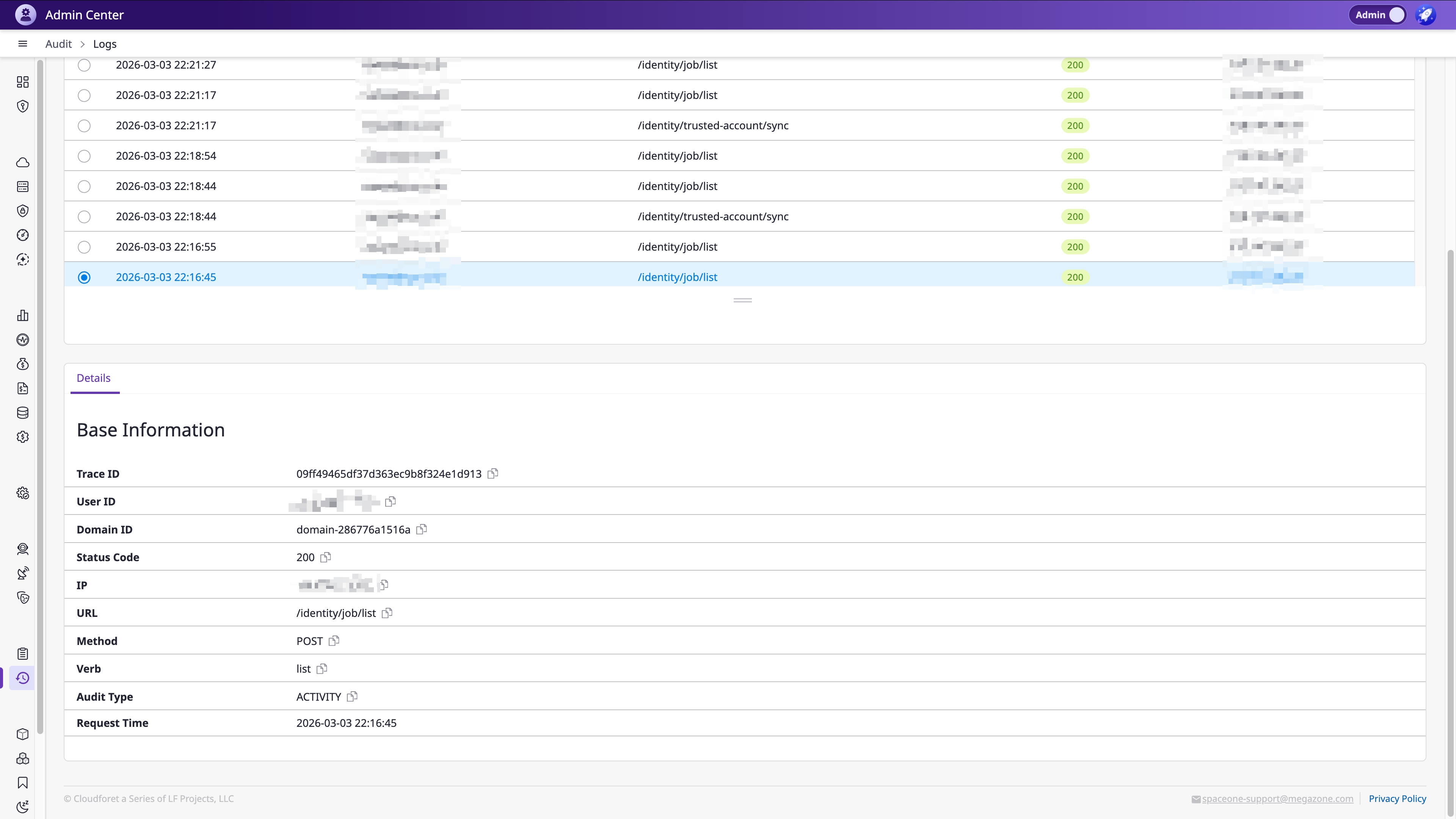
The detail information includes the following items.
| Field | Description |
|---|---|
| Trace ID | Request trace ID |
| User ID | User ID |
| Domain ID | Domain ID |
| Status Code | HTTP status code |
| IP | Access IP address |
| URL | Request URL |
| Method | HTTP method |
| Verb | Performed action |
| Audit Type | Audit log type |
| Request | Request data (Access, User Info, Role, Excel Export types) |
| Response | Response data (User Info, Role, Excel Export types) |
| Request Time | Request timestamp |
Excel Export
Click the Export button in the search area to download logs matching the current filter conditions as an Excel file.